Home Solar Planning
Evaluate roofs, yards, carports, and sheds before deciding where panels should go.
Record sunlight over hours, days, or months. Compare panel locations, shading, and solar exposure with 180-day memory and CSV export.
Measures incoming sunlight — not solar panel voltage, current, or electrical watt output.
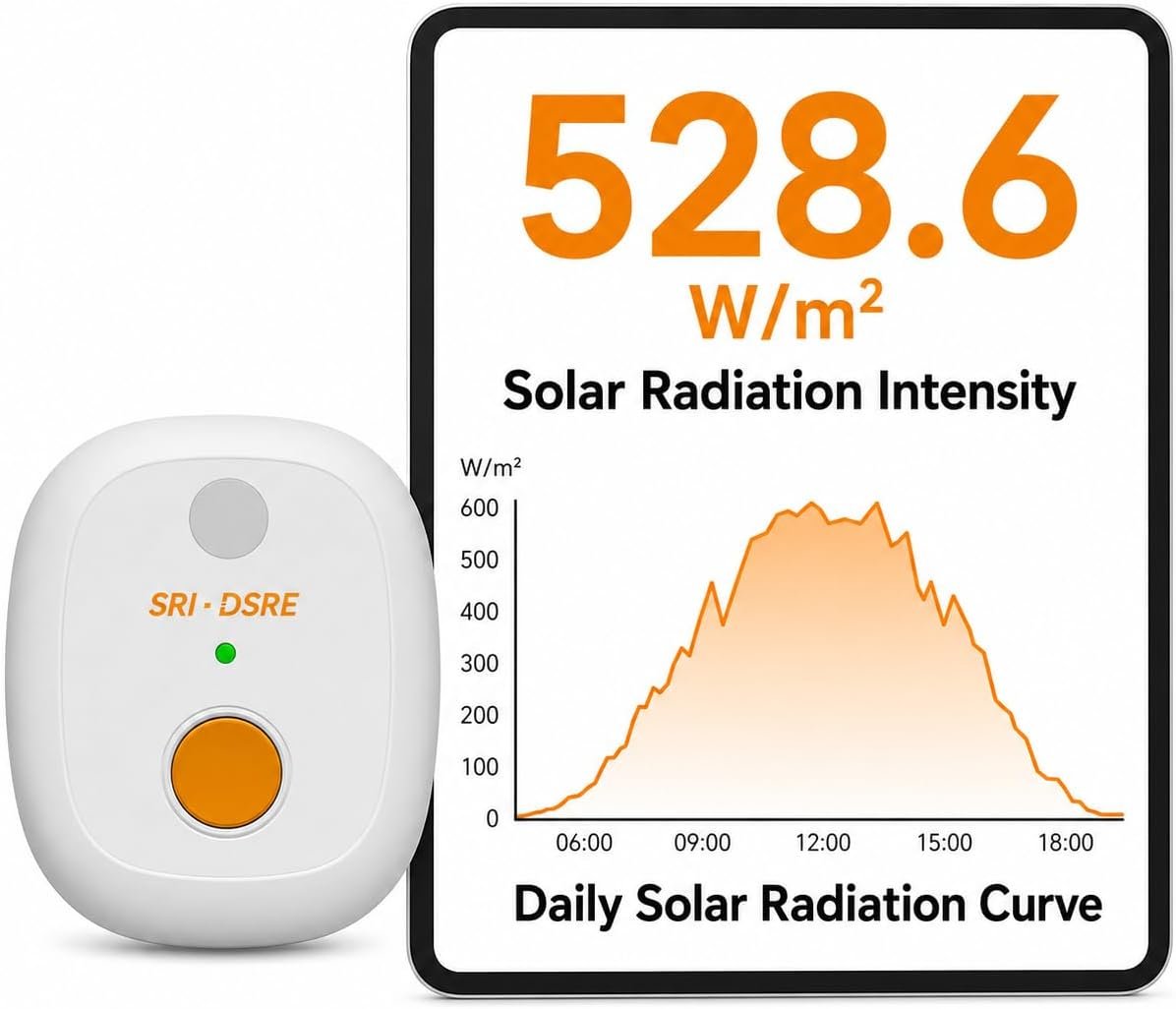
A location that looks sunny at noon may receive less useful solar energy across the full day because of trees, buildings, roof orientation, weather, or seasonal changes.
Measure before committing to a rooftop, shed, yard, RV, or off-grid setup.
Identify when sunlight rises, peaks, drops, or disappears during the day.
Use solar resource data as context when electrical output is lower than expected.
Leave EVO-Solar at the measurement location. Your phone does not need to stay beside it. Reconnect later to review and export recorded data.
EVO-Solar is most useful when the goal is to record, compare, and analyze solar conditions over time.
Evaluate roofs, yards, carports, and sheds before deciding where panels should go.
Collect recorded irradiance data and export CSV files for comparison, reports, and site discussions.
Compare campsite or panel locations and understand changes in available sunlight throughout the day.
Check whether low solar output may be related to insufficient sunlight, shading, or panel orientation before investigating the electrical system.
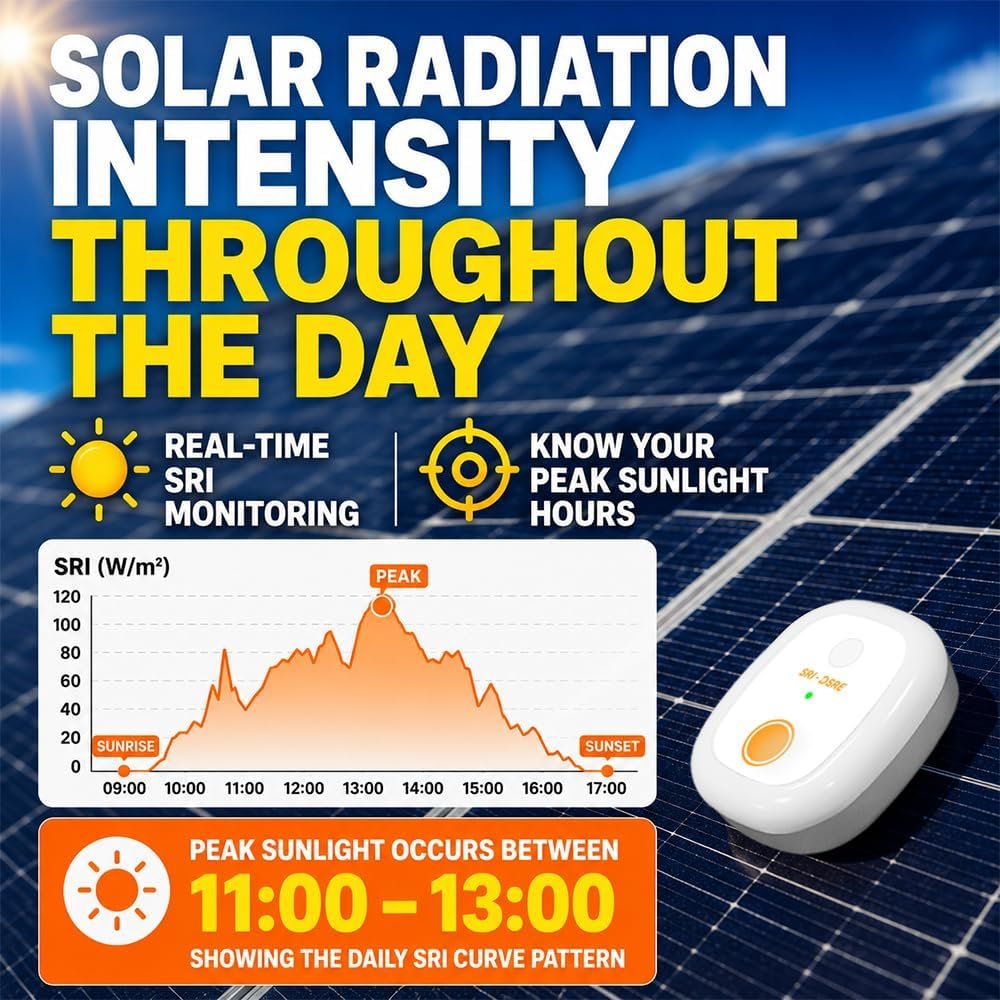
SRI shows solar irradiance in W/m². The daily curve makes changing sunlight conditions easier to understand than a single isolated number.
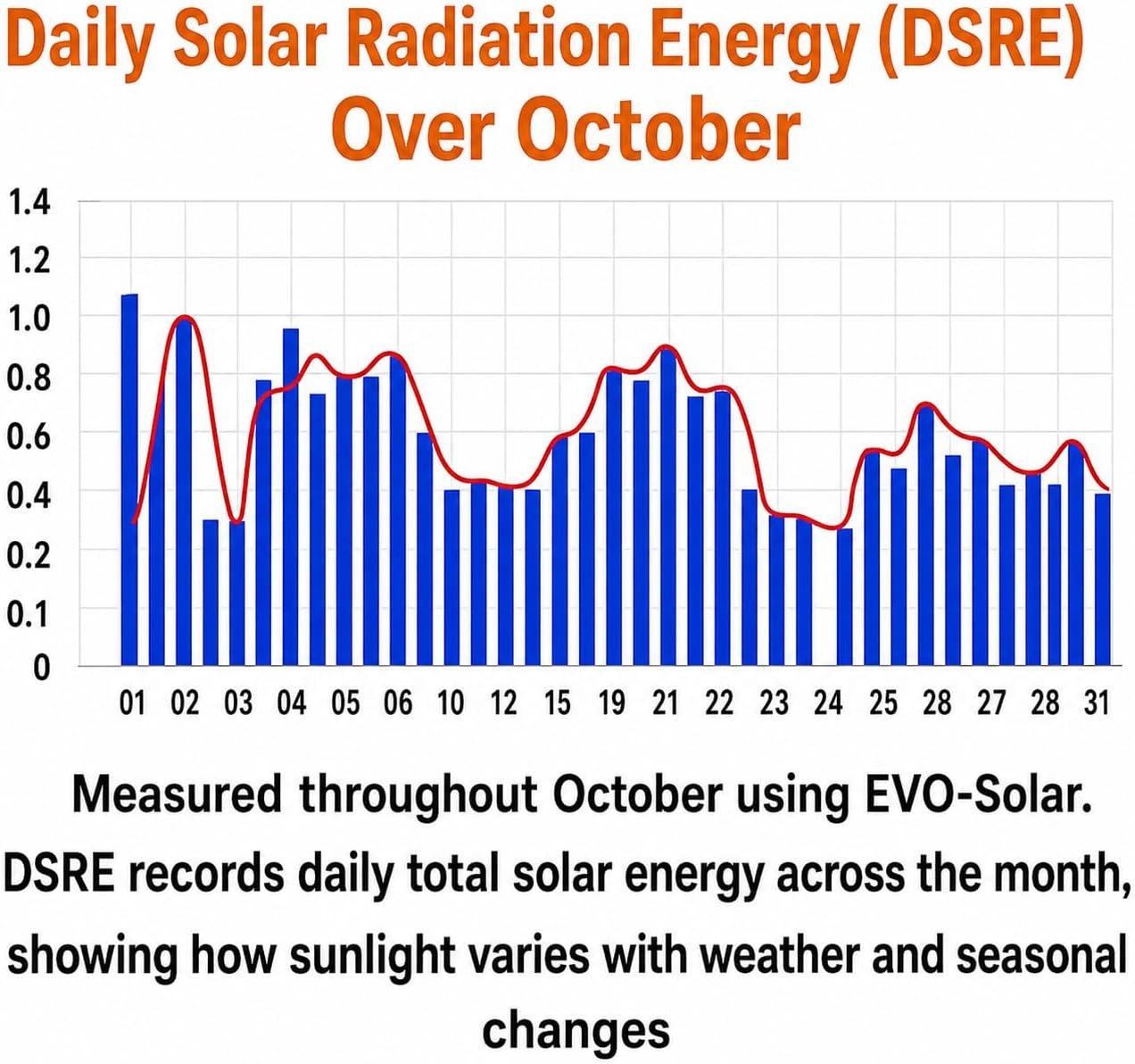
DSRE accumulates solar radiation energy over the day and expresses it in kWh/m². It helps you compare clear days, cloudy days, seasonal changes, and different measurement locations.
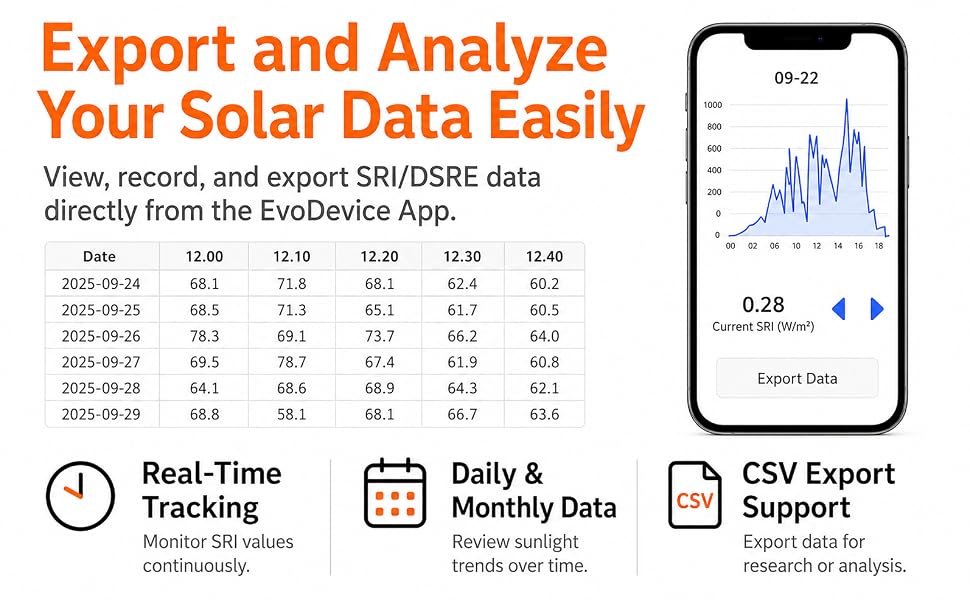
Review SRI and DSRE curves in the EvoDevice app, then export recorded measurements as CSV files for spreadsheet analysis, comparisons, and reports.
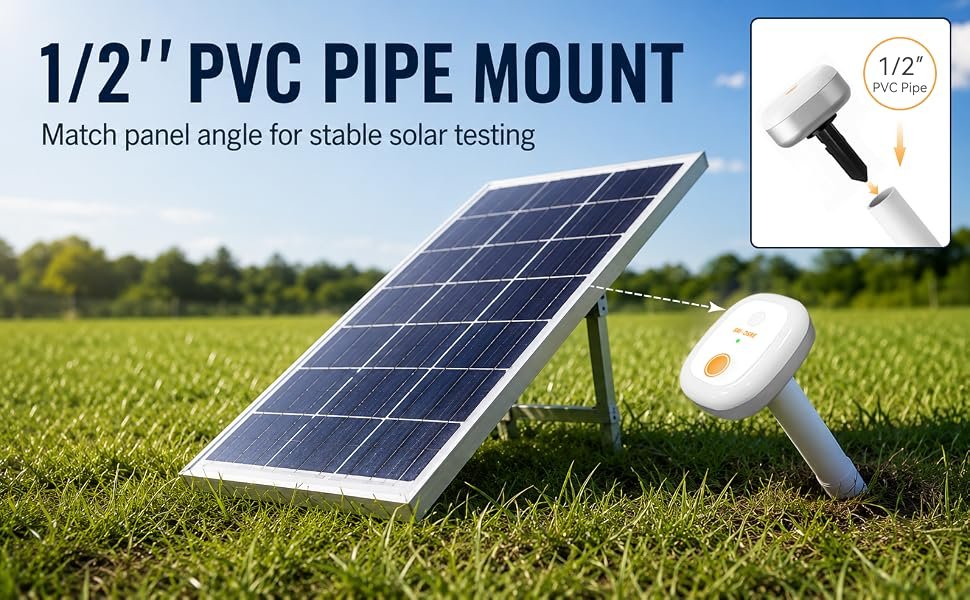
For fixed-position monitoring, EVO-Solar can mount on standard 1/2-inch PVC pipe. Position the pipe so the meter face stays parallel to the solar panel.
Use the placement method that fits the job, while keeping the sensor oriented consistently for meaningful comparisons.
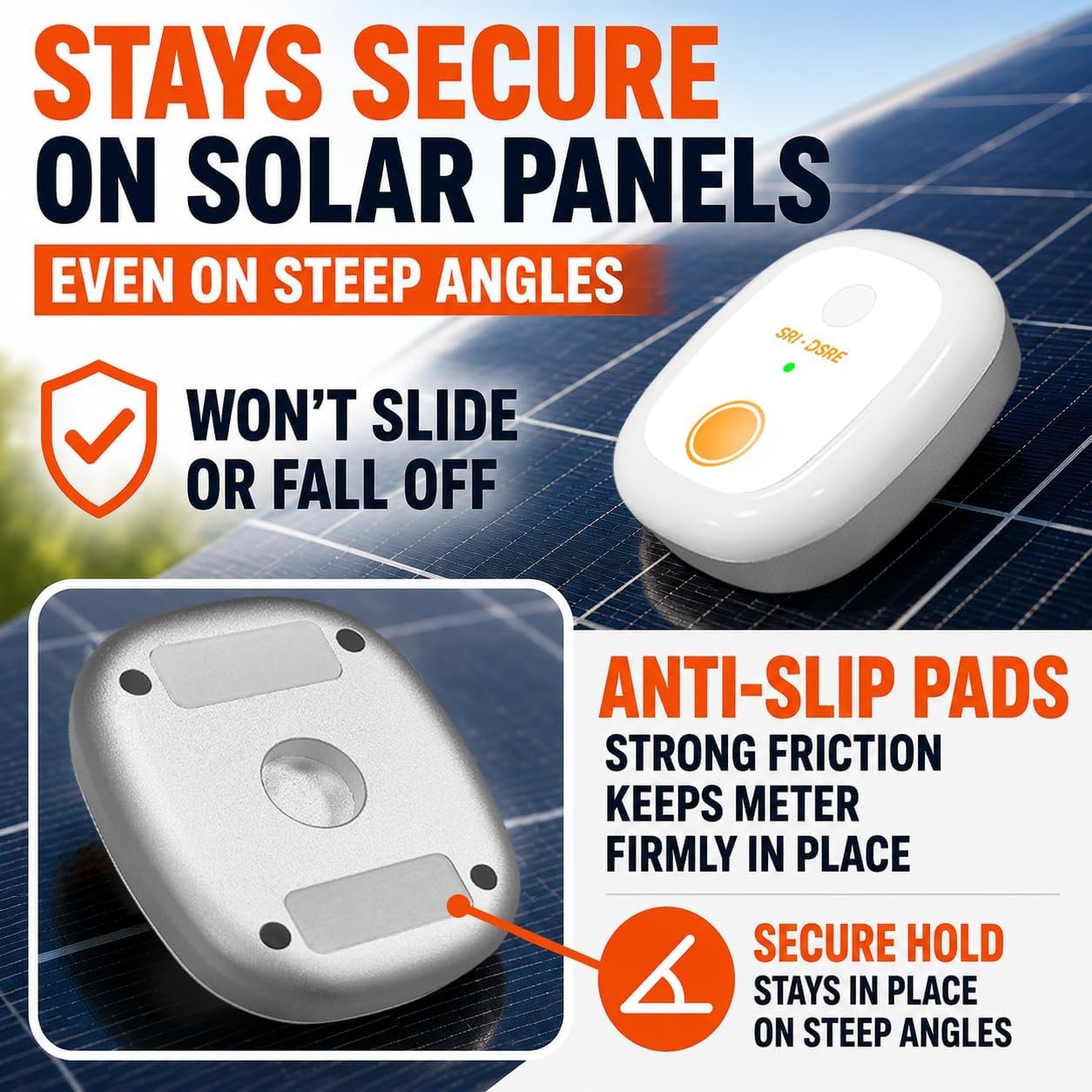
Anti-slip pads help the meter stay in place during direct panel measurements.
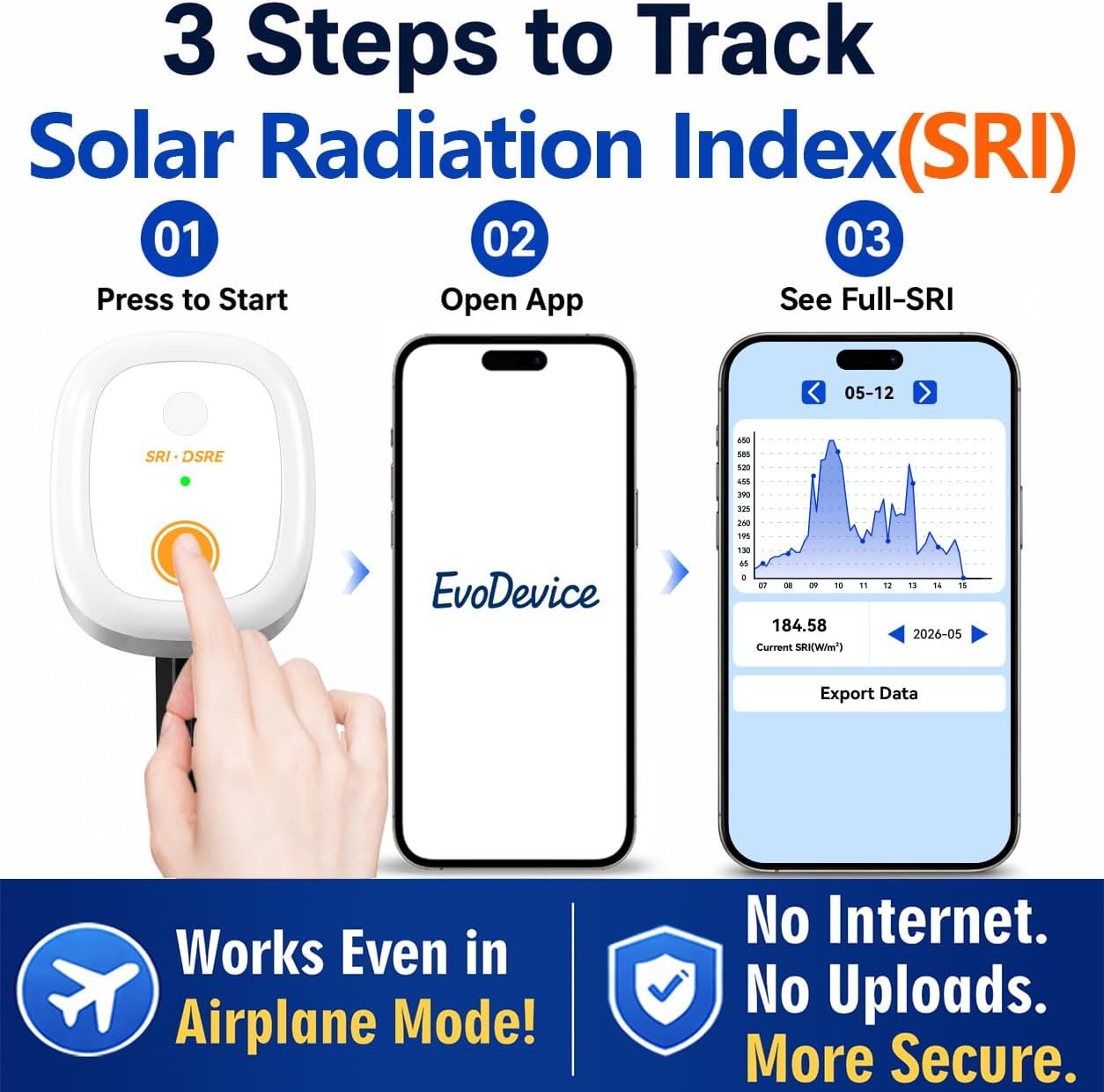
Start the meter, open the EvoDevice app, and review recorded SRI data and curves.
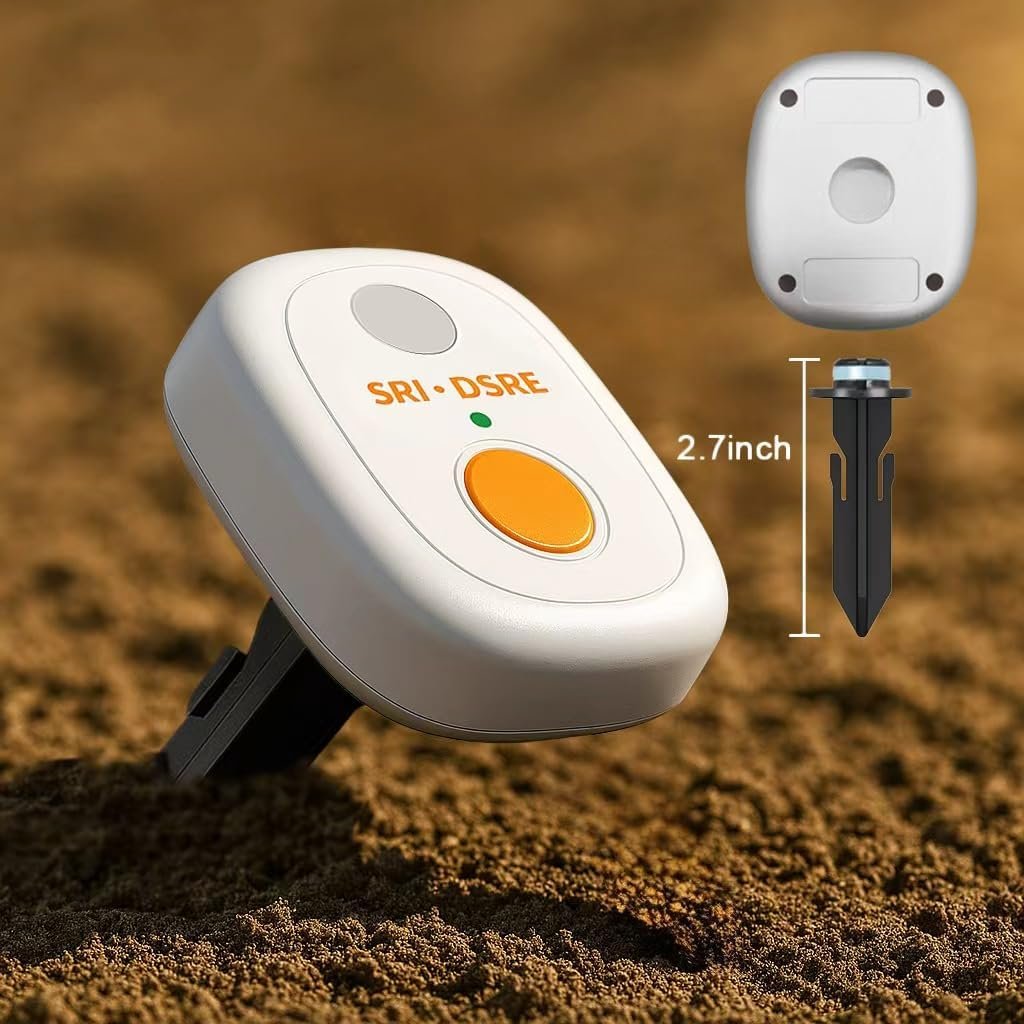
A small sensor body makes it practical to place near portable, residential, or off-grid solar systems.
The meter stores measurement data internally, so the phone does not need to remain nearby during the full monitoring period.
Position the sensor at the location and angle you want to evaluate.
Collect SRI and DSRE data over hours, days, or weeks without keeping the phone beside it.
Reconnect by Bluetooth, review curves in the app, and export CSV files for analysis.
No. EVO-Solar stores measurement data in onboard memory. You can reconnect later to sync, review, and export the stored data.
SRI is the current solar irradiance in W/m². DSRE is the solar radiation energy accumulated across the day in kWh/m². Together they show both current conditions and the total daily solar resource.
No. EVO-Solar measures incoming solar radiation, not panel voltage, current, or watt output. Electrical output is also affected by panel efficiency, temperature, wiring, inverter behavior, battery state, load, and other system conditions.
Yes. SRI and DSRE data can be exported as CSV files for use in Excel or other spreadsheet and analysis software.
Keep the sensor face parallel to the solar panel. You can place it directly on a panel using the anti-slip pads or mount it on standard 1/2-inch PVC pipe for fixed-position monitoring.
It can display real-time SRI, but its strongest value is long-term recording, daily energy tracking, historical comparison, and CSV export. A basic handheld meter may be simpler for users who only need an occasional spot reading.
EVO-Solar focuses on solar irradiance and accumulated solar energy. For a broader view of outdoor measurement, see how solar data relates to soil moisture, root-zone temperature and Daily Light Integral, and when each type of measurement is useful.
Whether you are comparing panel locations, planning an RV or off-grid system, or investigating low output, EVO-Solar helps turn sunlight conditions into recorded data you can review.
Tell us how you plan to monitor solar irradiance or daily solar energy. We can help you understand the measurement workflow, mounting options, app data, and CSV export.
View Purchase Options →Solar irradiance describes instantaneous solar power per unit area, while accumulated solar energy describes energy received over time.
EVO-Solar is intended for solar irradiance in W/m² and accumulated solar energy in kWh/m². Compare it with EVO-20 for Daily Light Integral and EVO10 when soil and root-zone monitoring are also needed.